
Cook with your hands, not your phone.
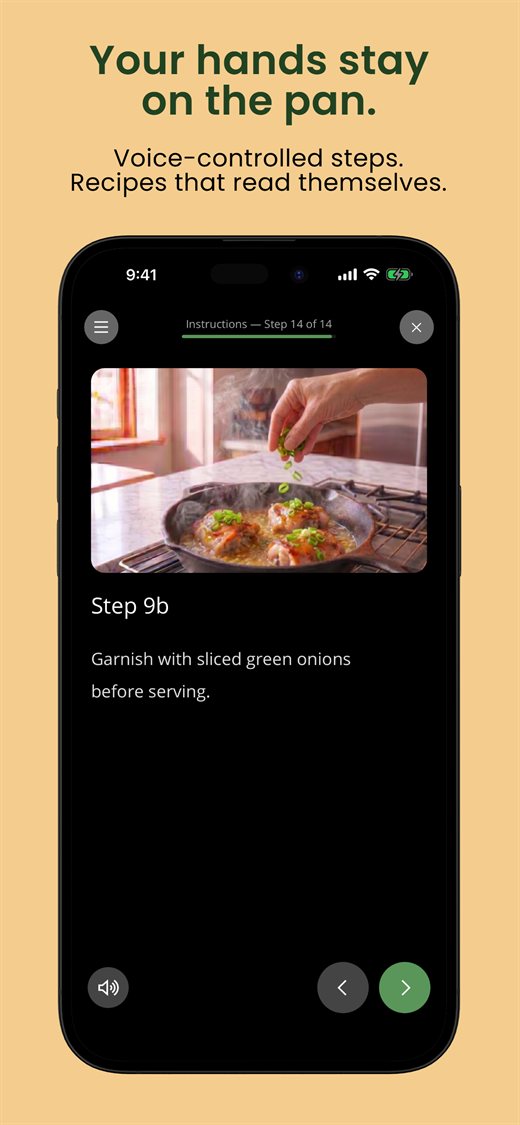
A full-screen, step-by-step cooking mode that reads each step aloud, responds to voice commands, and keeps your screen awake — so flour-covered hands never have to touch the glass.
Cooking is messy. Your phone shouldn't be.
Tiny text, a screen that keeps sleeping, scrolling back to find the next step with greasy fingers — PurePrep's Cook Mode fixes all of it.
Reads steps aloud & listens
Hear each step, and say "next," "back," or "repeat" to move through the recipe without touching anything.
A photo for every step
See what each ingredient, prep cut, and instruction should look like — tap any image to go full-screen.
Scales to who's eating
Pick who's at the table and every ingredient quantity adjusts automatically — no mental math.
How it works
Tap "Start Cooking"
Open any recipe and enter the distraction-free, full-screen Cook Mode.
Set audio & who's eating
Turn on read-aloud and voice control, and choose your diners so portions scale.
Cook step by step
Move through prep and instructions hands-free, then ring the meal bell when it's ready.