Save any recipe — minus the ads.
Paste a link from any recipe site, or import straight from Instagram, TikTok, Facebook, and more. PurePrep pulls out the recipe and leaves the pop-ups, life stories, and clutter behind.
Your recipes, finally in one clean place
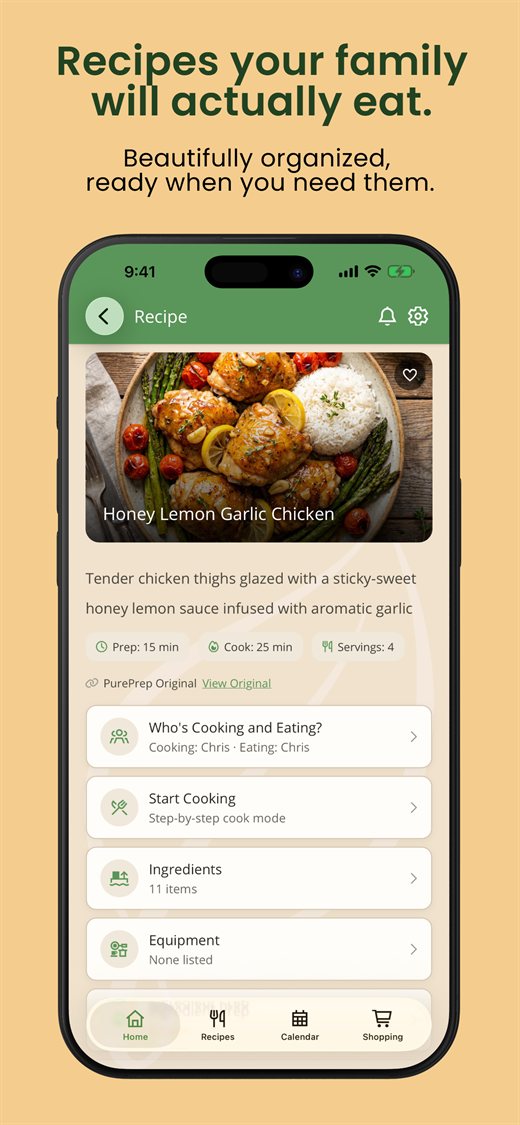
Recipes you love are scattered across bookmarks, screenshots, and DMs. PurePrep gathers them into one beautifully organized, ad-free collection you actually want to cook from.
Any recipe website
Paste a link from any blog or recipe site and get a clean, structured recipe — ingredients, steps, and times, no ads.
Instagram, TikTok & more
Import recipes straight from social posts and reels on Instagram, TikTok, Facebook, X, Threads, Bluesky, Reddit, and Pinterest.
Clean & consistent
Every saved recipe gets the same tidy format and imagery — and plugs into your meal plan and shopping list.
How it works
Paste or share a link
Drop in a URL, or use the share button from your browser or a social app.
PurePrep extracts the recipe
We pull the ingredients and steps and reformat them into a clean, structured recipe.
Cook it your way
It's saved to your collection, ready for Cook Mode, meal planning, and shopping lists.